
How it works: Get your custom channel up and running in just four simple steps
Step 1: Set Up and Customize Your Channel
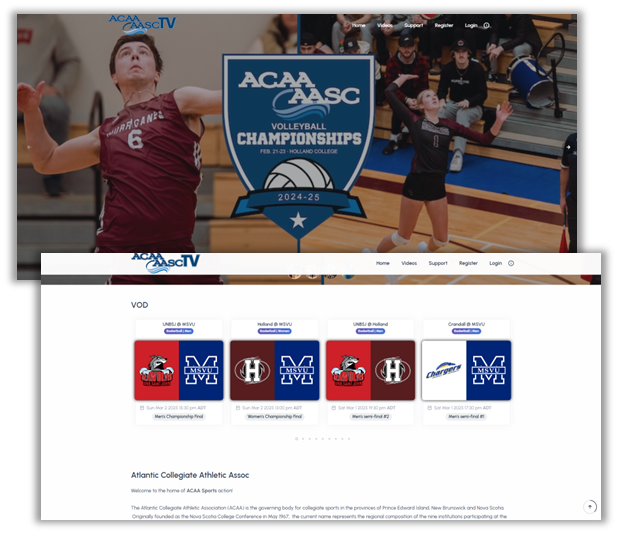
After selecting the plan that fits your needs, you’ll choose your channel name and receive access to the StreamEAI video publishing system.
From there, you can start building your brand using our intuitive page builder: customize your channel’s colors, menus, sliders, logos, and pages (About, Support, and more) to make it truly your own.
Step 2: Create Events and Stream LIVE or VOD
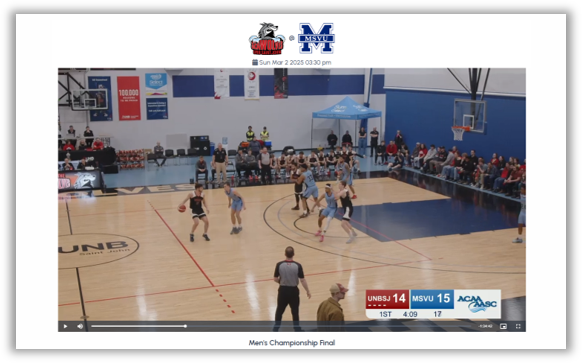
Within your StreamEAI system, easily create live or on-demand events. Add team names, logos, and branding for games or upload an event image with its date and time. Once published, your event automatically appears on your channel homepage with a live countdown and options for viewers to bookmark or receive notifications.
Step 3: Monetize your Content With Ease
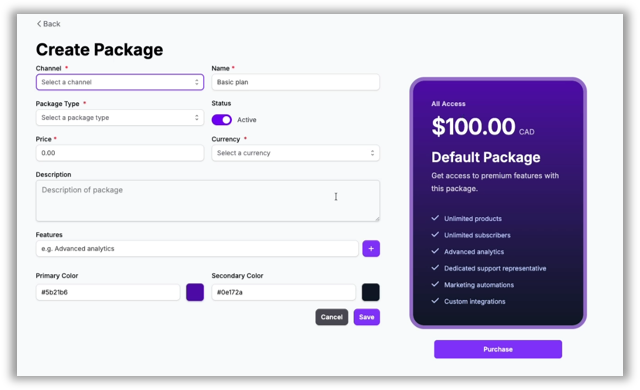
Decide how you want to generate revenue from your streams. Use StreamEAI’s event and package builder to create pay-per-view events, recurring subscriptions, or custom bundles for games and series. You can also manage sponsorships directly from your dashboard. Toggle Google Ads, add banner placements, and feature sponsored content seamlessly.
Step 4: Analyze and Grow Your Audience
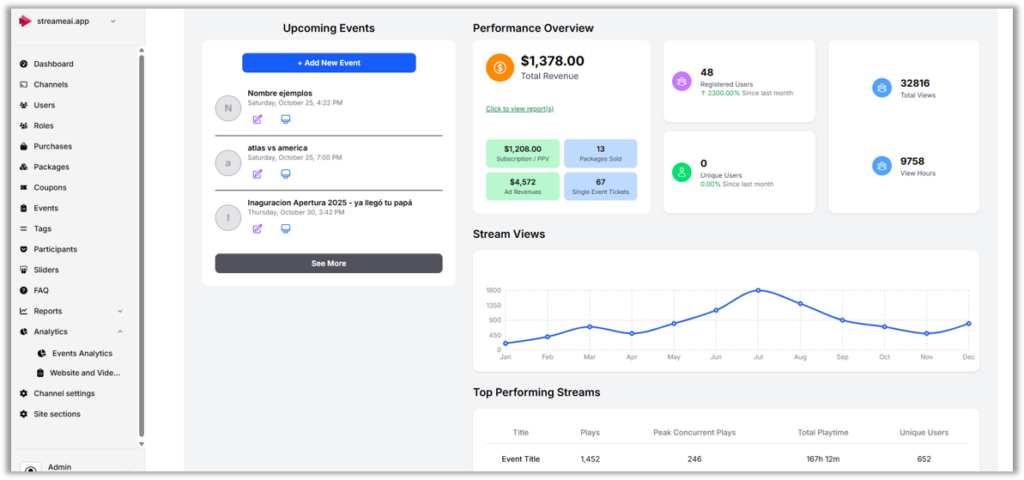
StreamEAI’s built-in analytics give you a complete view of your performance across video, web, advertising, and revenue. Filter and compare top-performing streams, track engagement by sport or category, and uncover insights that help you grow your audience and optimize monetization.